CSV Format
Once the website is set up, you will be prompted to upload a .csv file with the responses you want to rate.
Graphical Representation of CSV Format:
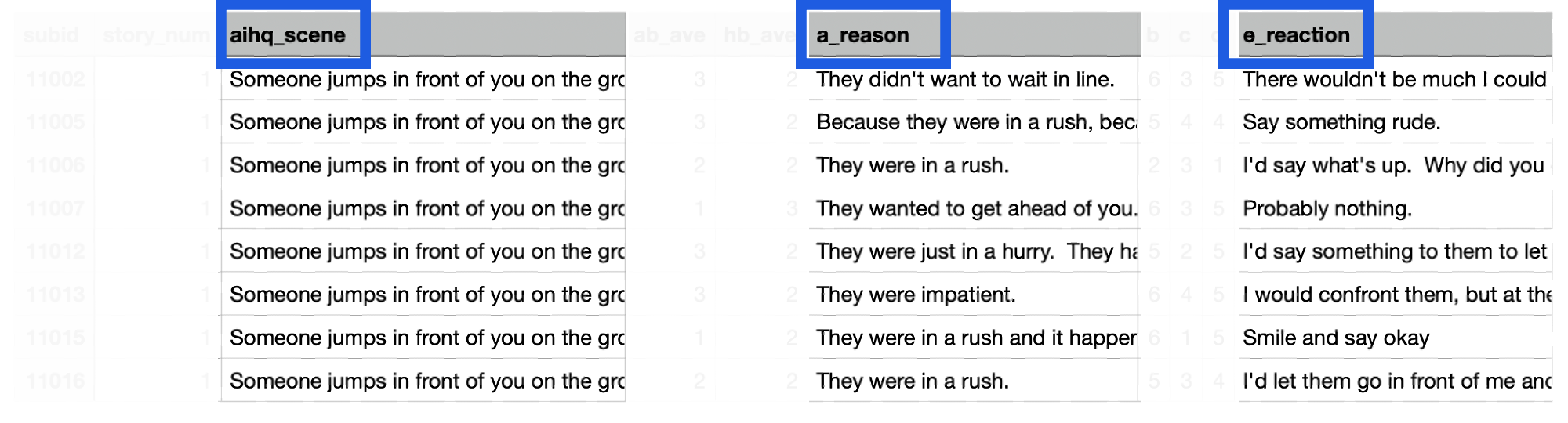
Make sure your CSV file includes these three columns for the website to correctly process and rate the responses, other columns can be included but will not be used in rating.
Steps to Upload the CSV:
You’ll be prompted to upload a .csv file containing the responses you want to rate.
Make sure the file structure follows the website’s requirements, which are displayed above.
Once the process starts, make sure your computer remains open before the rating is finished. DO NOT close the terminal or webpage.
When finished, a pop-up will appear asking if you’d like to download the rated .csv file.
Downloading the Rated CSV:
Click “Download”, and the rated file will be saved to your computer’s “Downloads” folder.